



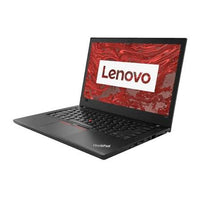



Laptop & desktop repair in Etobicoke, Toronto
Get your device working again
Cracked screen, tired battery, a keyboard that skips — or a machine that won't turn on at all. Tell us what's wrong and we'll reply with a clear quote, usually within 1–2 business days.
- Quote before any work
- Laptops & desktops
- Most repairs done within a week
How repairs work
- Quote in 1–2 business days
- Price and next steps by email.
- You approve first
- No work starts until you say yes.
- Done within a week
- For most repairs, once the quote is approved.
What we fix
The repairs we see most
Common hardware problems on laptops and desktops. Not sure what's wrong? Tell us the symptoms and we'll work it out.
Screens
Cracked, flickering or dead displays.
Batteries
Batteries that drain fast, swell or no longer hold a charge.
Keyboards
Sticky, missing or unresponsive keys.
Charging ports
Loose connections and ports that won't charge.
Won't turn on
No power, no display or stuck at startup — we'll track down the cause.
Something else
Describe the problemMost other common hardware issues. Describe the symptoms and we'll take a look.
How it works
From broken to back in your hands
A quote-first process, so you always know the price before any work begins.
01 / REQUEST
Tell us what's wrongSend the form with your device, model and what's happening.02 / QUOTE
Get a clear quotePrice and next steps by email, usually within 1–2 business days.03 / APPROVE
Approve the workNothing starts until you say yes.04 / REPAIR
We fix itMost repairs are completed within a week of approval.05 / READY
Back to youWe let you know as soon as your device is ready.Why Royal Tech
Repairs from people who refurbish for a living
Hardware is our day job
Shop certified devicesWe inspect, test and grade laptops and desktops every day. The same care goes into your repair.
Straight answers
A clear quote up front, in plain language. If a repair doesn't make sense for your device, we'll say so.
Options if it's not worth fixing
Get a trade-in quoteTrade your device in for credit, or move to a certified refurbished laptop or desktop.
Book a repair
Tell us what's wrong
The more detail you share, the more accurate your quote. We'll reply by email.
-
We review your request
We look at the device and symptoms you describe.
-
You get a quote
Price and timing by email, usually within 1–2 business days.
-
You decide
Approve the repair and we'll arrange the next steps with you.
Not worth fixing?
Upgrade to certified refurbished
Every laptop and desktop we sell passes our 40-point inspection and comes with a 12-month warranty.